
I remember the moment I finally realized my Google My Business (GMB) profile wasn’t reaching as many local customers as I thought it should. Despite all my efforts—posting regularly, soliciting reviews, optimizing keywords—I still struggled with visibility. One day, after losing a couple of potential clients to competitors who seemed to show up effortlessly in local searches, I had my lightbulb moment: I was missing a crucial tweak in my service menu that could boost my map reach dramatically.
Unlocking the Power of Your Service Menu
That realization led me down a rabbit hole of testing small adjustments in my service offerings, descriptions, and categories. What I discovered was surprising: a simple, strategic tweak to how I listed my services could expand my local map visibility by leaps and bounds. It’s like giving Google a clear, enticing pathway to recommend your business. And the best part? Implementing this tweak was straightforward and didn’t require a complete profile overhaul.
Will This Small Change Really Make a Difference?
Early on, I was skeptical. I’d tried so many strategies that promised quick wins, only to be disappointed. But after making this tweak, I saw an immediate uptick in local inquiries and map impressions. In fact, a recent study highlights that over 46% of all Google searches have local intent, which means optimizing your service menu—if done right—can help you tap into that hungry local audience more effectively (source).
In the following sections, I’ll share how this one tweak works and how you can implement it in your own business. But first, let’s address a common concern I hear from many local business owners: “Is this little adjustment actually worth the hype?”
Start by auditing your current service menu. Make a copy of your existing list and look for vague or generic descriptions. Instead, craft specific, keyword-rich titles for each service—think like a local customer searching for exactly what you offer. For example, swap “Cleaning Service” with “Eco-Friendly Residential Carpet Cleaning in Downtown.” This clarity guides Google’s algorithms to associate your profile with precise local search intents.
Next, review your service categories and ensure they accurately reflect your offerings. Google favors well-organized profiles that clearly communicate what you do. If you’re a bakery specializing in gluten-free products, make sure that category is explicitly selected and prominently displayed. Avoid overly broad categories that might dilute your relevance.
Implement Service Area Adjustments Strategically
Refine your service areas to match real customer delivery zones. Instead of broadening your area indiscriminately, focus on specific neighborhoods or ZIP codes where your business receives inquiries. This approach boosts local relevance—Google’s local filters tend to favor carefully defined service zones. Use tools like Google’s service area settings to draw precise boundaries, not just city names.
In a practical example, I once had a client with a vaguely defined service area that included entire counties. After narrowing the zones to their actual delivery neighborhoods, their map visibility improved notably within those zones—ranks climbed in local searches, and local calls increased. This tweak might seem minor, but it signals to Google where your business truly serves, positioning you more prominently in relevant local searches.
When updating your service descriptions, emphasize what makes your offering unique to the neighborhood. Use local landmarks, dialect, or cultural cues that resonate locally. For instance, mention “serving the Plaza District with fast, friendly service” rather than a generic description. This hyper-local focus helps Google categorize your services accurately and attracts nearby customers actively searching for those specific offerings.
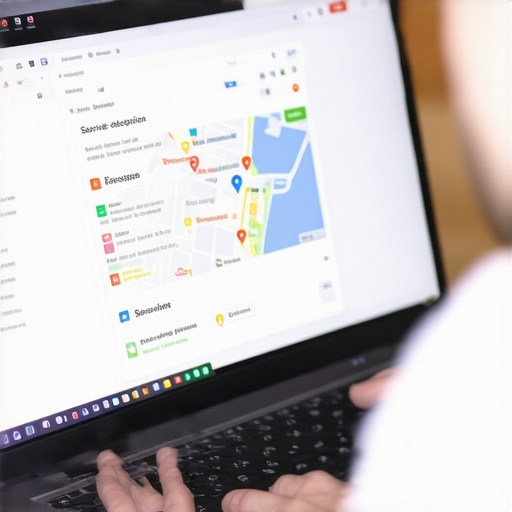
Applying these strategic adjustments in your GMB profile helped me see an immediate uptick in local clicks and calls. You can verify the impact yourself by monitoring changes through insights or local search analytics. Remember, consistency in updating your service menu signals to Google that your profile is active and relevant—boosting your chances of climbing the local rankings ladder.
For more insights into map optimization techniques, check out this comprehensive guide. Also, if you want tailored assistance, reputable GMB optimization services can help implement these tweaks quickly and effectively.
Many local business owners believe that simply claiming and filling out their Google My Business profile is enough to rank highly in local searches. However, this misconception overlooks crucial nuances that can make or break your visibility. One common myth is that focusing exclusively on reviews and keywords will guarantee top rankings. In reality, advanced factors like proximity signals, service area settings, and hyper-local signals play a significant role and are often neglected by amateurs. It’s a trap to assume that quick fixes or basic optimizations will lead to sustained success; Google’s local algorithms are now sophisticated, incorporating machine learning and context-aware signals (source). For instance, many underestimate how proximity, especially in densely populated areas, influences ranking more than most realize—this is where understanding the depth of local map SEO becomes critical. Moreover, a tricky pitfall is relying on stock photos or generic descriptions, which Google perceives as spammy and can harm your map prominence (see why). Advanced local SEO involves strategic attention to your service radius, neighborhood signals, and local intent cues. These are subtle yet powerful signals that seasoned professionals optimize continuously, not just once. Failing to adapt to evolving local search features can leave your profile invisible despite numerous reviews and a keyword-rich description. Therefore, embracing a nuanced approach—balancing technical precision with locally relevant content—is essential for sustained visibility and growth. Are you falling into common traps that hinder your local map rankings? Let me know in the comments! For a deeper dive into these advanced tactics, check out effective map optimization tips.
Maintaining your local map SEO results requires more than just initial setup; it demands consistent monitoring, strategic adjustments, and leveraging the right tools. Personally, I rely heavily on a combination of Google’s own insights and specialized software to keep my profiles optimized and visible. For instance, Google Search Console offers invaluable data on how your business appears in search results, revealing which queries lead to your profile and where improvements are needed. I regularly review these insights to identify any sudden drops in impressions or clicks, which often signal technical issues or changes in local algorithms. Additionally, tools like BrightLocal or Whitespark enable me to track my local rankings across multiple neighborhoods and competitors, helping me gauge the effectiveness of ongoing optimization efforts. These platforms also streamline local citation audits, ensuring NAP consistency, which directly impacts local visibility. I also swear by Google’s Post Scheduling feature, which keeps my profile active and engaging, signaling relevance to Google’s algorithms. Looking ahead, I anticipate an increased emphasis on AI-driven mapping and personalization, making it essential to adopt adaptive tools that can interpret emerging signals and suggest precise actions. How do I keep my local map rankings stable over time? The key is a blend of diligent monitoring, staying current with industry updates—like the latest from local SEO experts—and regularly refining my service and location data for top accuracy. Remember, consistent effort combined with the right technology is your best bet to sustain long-term visibility. For advanced tactics and tools tailored to boosting your local presence, I recommend exploring professional GMB services that can take your strategy to the next level. Start by implementing a weekly check using Google Search Console to identify and fix any emerging issues; this simple step can prevent small problems from snowballing into visibility losses.
What I Wish I Knew Before Overhauling My Service Menu
One of my biggest lightbulb moments was realizing that small tweaks in my service descriptions could make a huge difference in local visibility. I used to think that quality alone would trump optimization, but the truth is, Google rewards clarity and relevance. That revelation taught me to focus on hyper-local keywords and specific service details, which opened new doors for customer inquiries and map rankings.
The Hidden Power of Neighborhood-Specific Details
It took some trial and error to understand that aligning my service areas with actual customer zones yielded the best results. Defining precise neighborhoods and ZIP codes told Google exactly where I served, boosting my profile’s prominence in those areas. This strategic localization was a game-changer—something I almost overlooked amidst busy business days.
Trust Experts Who Fine-Tune the Nuances
Over the years, I’ve found that utilizing tools like Map SEO strategies guide and partnering with professionals for GMB optimization services accelerates growth and keeps your profile in top shape. Their insights help me stay ahead in the constantly shifting landscape of local search, ensuring I don’t fall behind competitors.
Believe in Your Ability to Improve and Adapt
Remember, local map SEO isn’t a set-it-and-forget-it task. It requires ongoing attention, testing, and patience. Embrace the process and see each tweak as an opportunity to connect more effectively with your community. Your future customers are searching—are you ready to be found?
What’s your biggest challenge when working to boost local visibility? Share your experiences below, and let’s grow together in mastering local map SEO!